For karaoke hosts: play the requests your catalog doesn't have
Every host knows the moment: a guest asks for a song and the search comes back empty. Here is a simple workflow to turn those requests into karaoke tracks for your next show.
Collect the misses
Keep a running list of every request you couldn't play — a note on your phone is enough. After a few shows you will see the same titles come back: local favourites, songs in your audience's language, new releases. Those are the tracks worth making first.
Make them between shows
- Get the song as an audio file you have the right to use (MP3, WAV, FLAC, M4A, OGG, MP4 or MKV).
- Add the songs to Karafy and click Generate. It separates the vocals and transcribes and times the lyrics on your own PC.
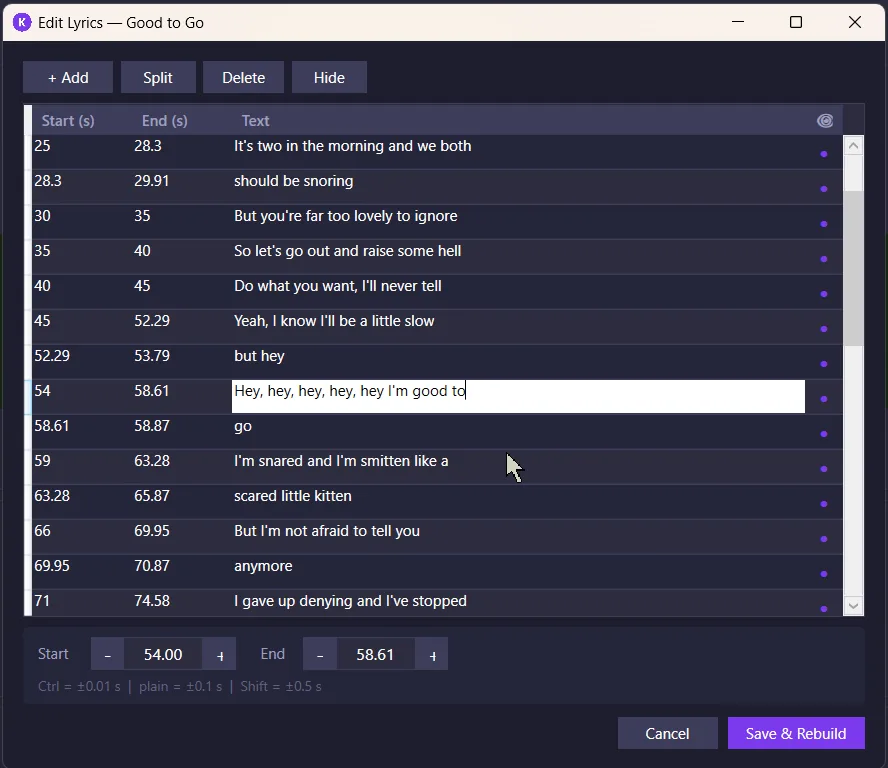
- Check every song in the built-in editor before it goes on stage. A wrong word in front of a room is more noticeable than at home, so give each track a quick read-through.
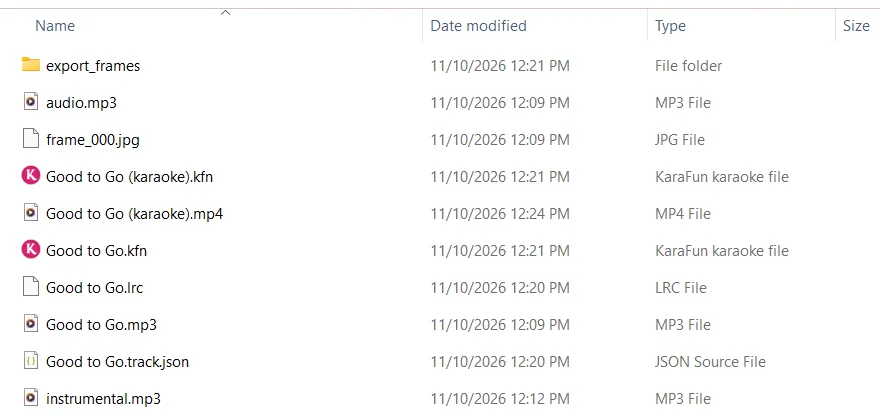
- Export in the format your show runs on.
Which format for which setup
- MP3+G — the long-standing standard for karaoke hosting software and CD+G hardware.
- KFN — for KaraFun-compatible players.
- MP4 — plays on any laptop, TV or projector without karaoke software.
- LRC — synced lyrics for apps that display them next to the music.
You can export the same song in several formats, so one track works across different venues.
Tips for show-ready tracks
- Start from the best-quality file you have — a clean studio recording gives a cleaner backing track.
- For songs you will play often, use cloud processing: our strongest models give a cleaner instrumental and more accurate lyrics. It runs on cloud credits, included with Pro and sold in credit packs.
- Everything plays offline, so a weak venue Wi-Fi never stops the show.
- Performing songs in public usually needs a licence from your local music rights organisation — check what applies where you host.
Common questions
How long does one song take?
A few minutes on a typical PC, plus your check in the editor.
Is there a limit on songs?
The first 3 songs are free. Pro is a one-time payment for unlimited songs on your own PC — no subscription.
Turn your request list into tracks
Windows 10/11 · 3 songs free · no account
Download KarafyAlso see: how to remove vocals for karaoke